
180° Rotary Round Key Integrated Touchpad Keyboard iPad Case
author: Levi
2026-06-05
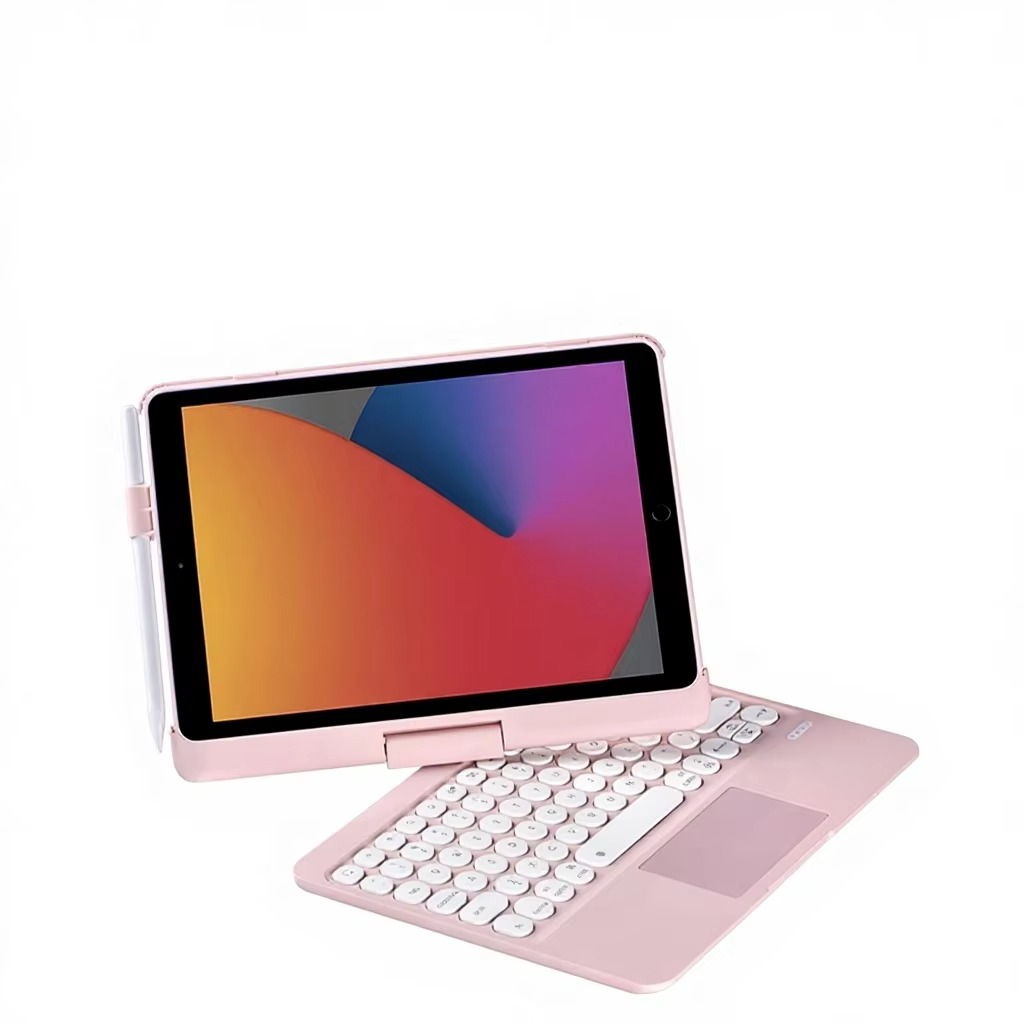
Core Product Highlights
1. 180° Free Rotation Adjustable Hinge
Central rotating shaft supports 0~180° arbitrary opening adjustment, adjustable from flat laying to 120° typing tilt angle flexibly, switch freely between document input, online course and video playback to ease neck fatigue. Overall ultra-slim thickness only 1.6cm to avoid redundant bulk.
2. Cute Round Retro Key + Full Area Touchpad
Fashion round bubble keycap with comfortable bounce feeling and silent keystroke; integrated full-size precision touchpad supports multi-finger gesture control replacing mouse, independent iOS shortcut keys improve editing efficiency, stable low-power Bluetooth fast pairing.

3. Side Exclusive Apple Pencil Storage Clip
Fixed elastic pen holder on left shell to stably store stylus, prevent pen loss and realize tablet + pencil + keyboard all-in-one portable carry, convenient for hand-painting and instant note taking.
4. Integrated All-In-One Shell Structure
Keyboard and protective back cover as one piece without split parts, hard frame wraps four tablet corners for anti-drop buffer, precise original machine cutouts keep full access to all buttons, speaker and charging port.

5. Pastel Sweet Appearance & Authorized Certification
Classic pink macaron color matching with minimalist outlook, favored by students and young office ladies; passed CE/FCC/ROHS/UKCA/SGS multiple certification for stable quality.
Fashion slim multi-scene keyboard protective case focusing on cute appearance and practical typing experience.

Split Detachable Keyboard Folio Case With Top Pencil Slot
Split Dual-Piece Detachable Touchpad Keyboard Tablet Folio Case
Related Article


If you still use your iPad Mini 2 for note-taking, reading or light work, finding a well-fitted case with keyboard can feel tricky. Many universal keyboard cases either do not fit the iPad Mini 2 properly or have flimsy keys that break quickly. This guide breaks down what to look for in an iPad Mini 2 case with keyboard, and introduces our reliable Vorkycase option.
iPad Mini 2 Case with Keyboard

Connecting an iPad keyboard case should be quick and effortless, but many users run into pairing failures, lag, or no connection at all. Most connection issues are not device faults — they are simply caused by incorrect setup. This honest, easy-to-follow guide covers the two most common connection methods for all iPad keyboard cases, plus quick fixes for frequent problems.
How to connect ipad keyboard case
